> ## Documentation Index
> Fetch the complete documentation index at: https://docs.salesduo.io/llms.txt
> Use this file to discover all available pages before exploring further.
# Prioritised Target List
Create companies target list views for your team
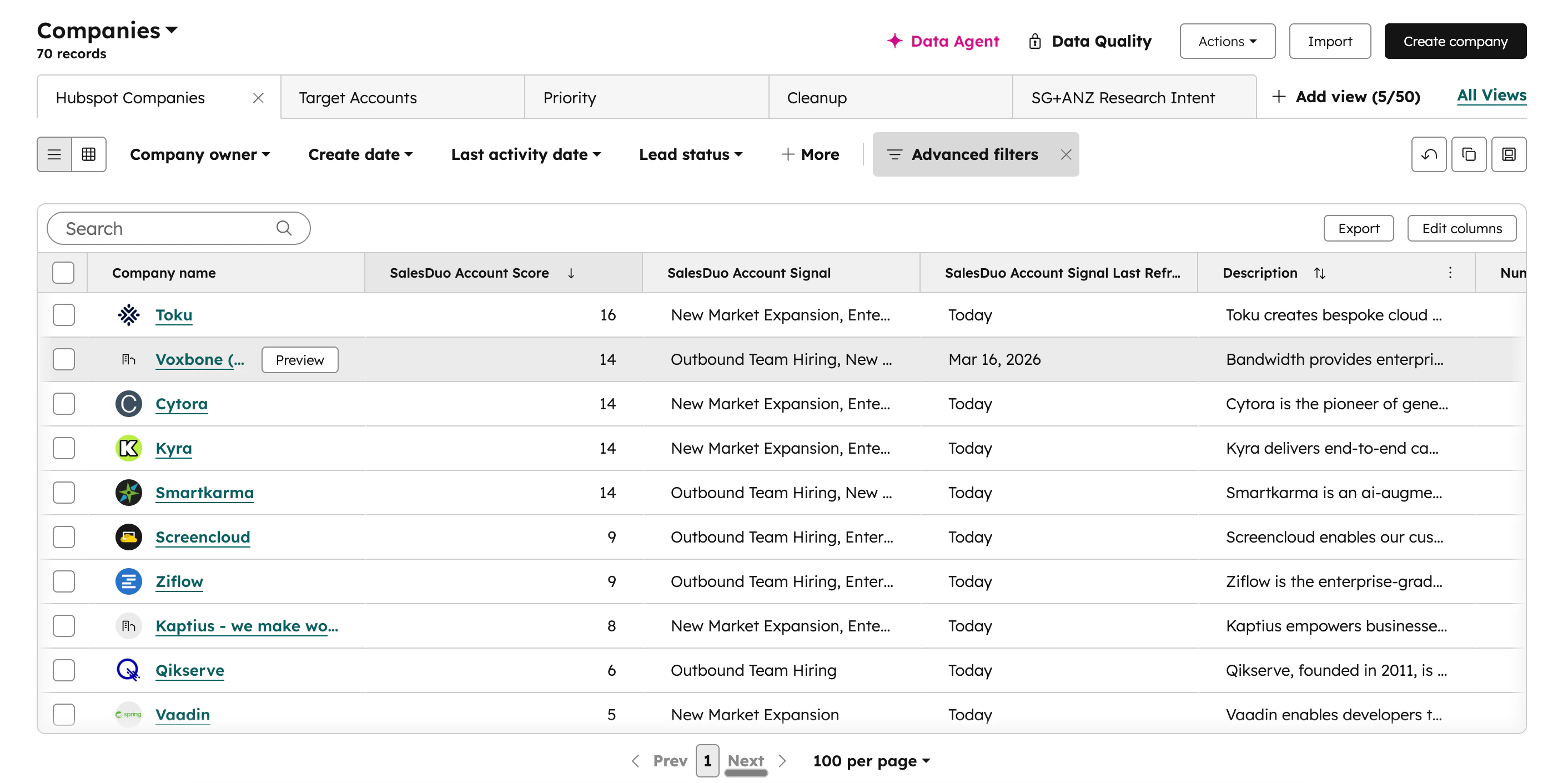 1. Go to **Companies** on the sidebar
2. Click on **Edit columns** on the top right of the table (create a new view if you prefer)
3. Search `SalesDuo` in the search bar
4. Add **SalesDuo Account Signals**, **SalesDuo Account Score**, **SalesDuo Account Signal Last Refreshed** to selected columns (Ideally, move to top)
5. For prioritisation, sort by **SalesDuo Account Score**, descending, from highest to lowest
6. Hit **Save** in the top right of the table
***
**For Visual Learners**
1. Go to **Companies** on the sidebar
2. Click on **Edit columns** on the top right of the table (create a new view if you prefer)
3. Search `SalesDuo` in the search bar
4. Add **SalesDuo Account Signals**, **SalesDuo Account Score**, **SalesDuo Account Signal Last Refreshed** to selected columns (Ideally, move to top)
5. For prioritisation, sort by **SalesDuo Account Score**, descending, from highest to lowest
6. Hit **Save** in the top right of the table
***
**For Visual Learners**