> ## Documentation Index
> Fetch the complete documentation index at: https://docs.salesduo.io/llms.txt
> Use this file to discover all available pages before exploring further.
# Automated Signals
Learn how to configure scheduled runs so that your accounts get automatically re-prioritised
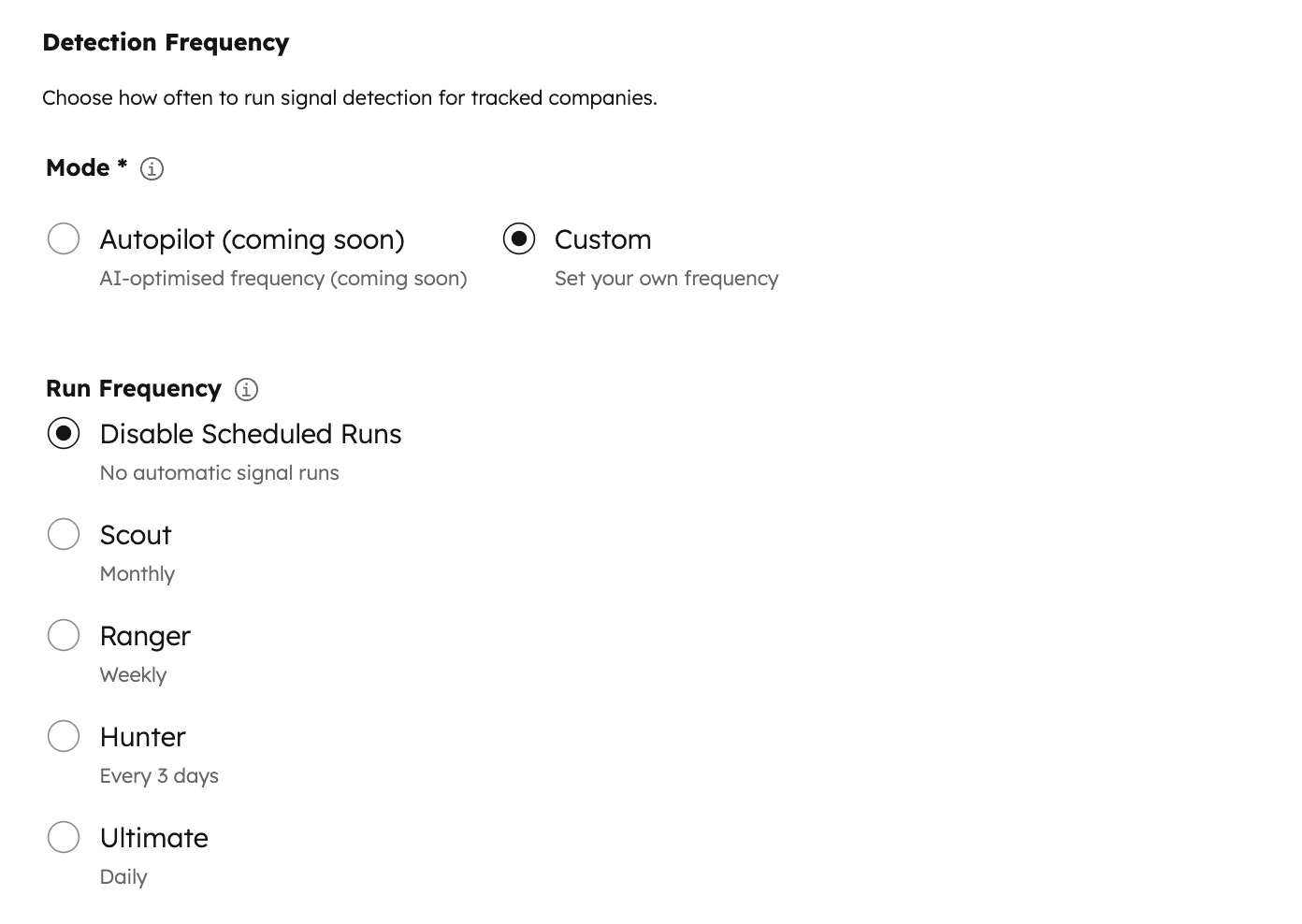 You are able to set your custom research frequency to:
* Scout (Monthly)
* Ranger (Weekly) → Most Popular
* Hunter (3 Days)
* Ultimate (Daily)
The most common strategy is to re-prioritise weekly.
Only choose Scout (monthly) if you are willing to sacrifice results for saving cost.
**Compulsory Filter Setting**
You are able to set your custom research frequency to:
* Scout (Monthly)
* Ranger (Weekly) → Most Popular
* Hunter (3 Days)
* Ultimate (Daily)
The most common strategy is to re-prioritise weekly.
Only choose Scout (monthly) if you are willing to sacrifice results for saving cost.
**Compulsory Filter Setting**
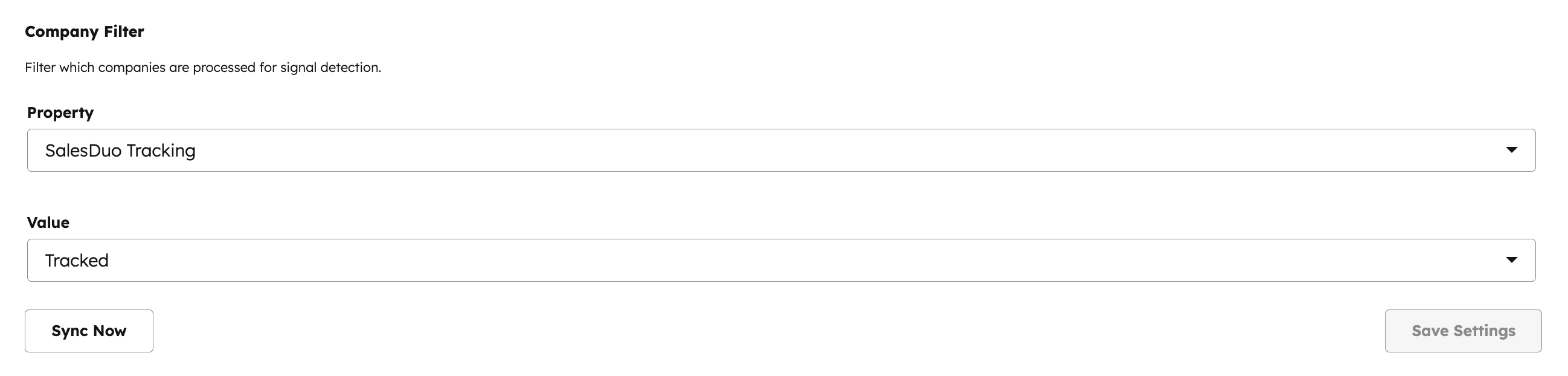 *You must select a property to filter to decide which companies will be included in the automated signal research.*